Video 1 of 7 · 2:48 · Watch in order
Video 1: CPM Scheduling in AutoCAD
CPMCAD brings Critical Path Method scheduling into AutoCAD itself, so your schedule and your drawings finally live in the same place. This overview shows how the three pieces, Excel, the CPMCAD interface, and AutoCAD, work together.
How to set up CPM scheduling in AutoCAD
- Build your schedule data in Excel. Define activities, durations, predecessor relationships, resources, and constraints in the CPMCAD Excel template. No proprietary database and no locked file format, just a spreadsheet you already know how to edit.
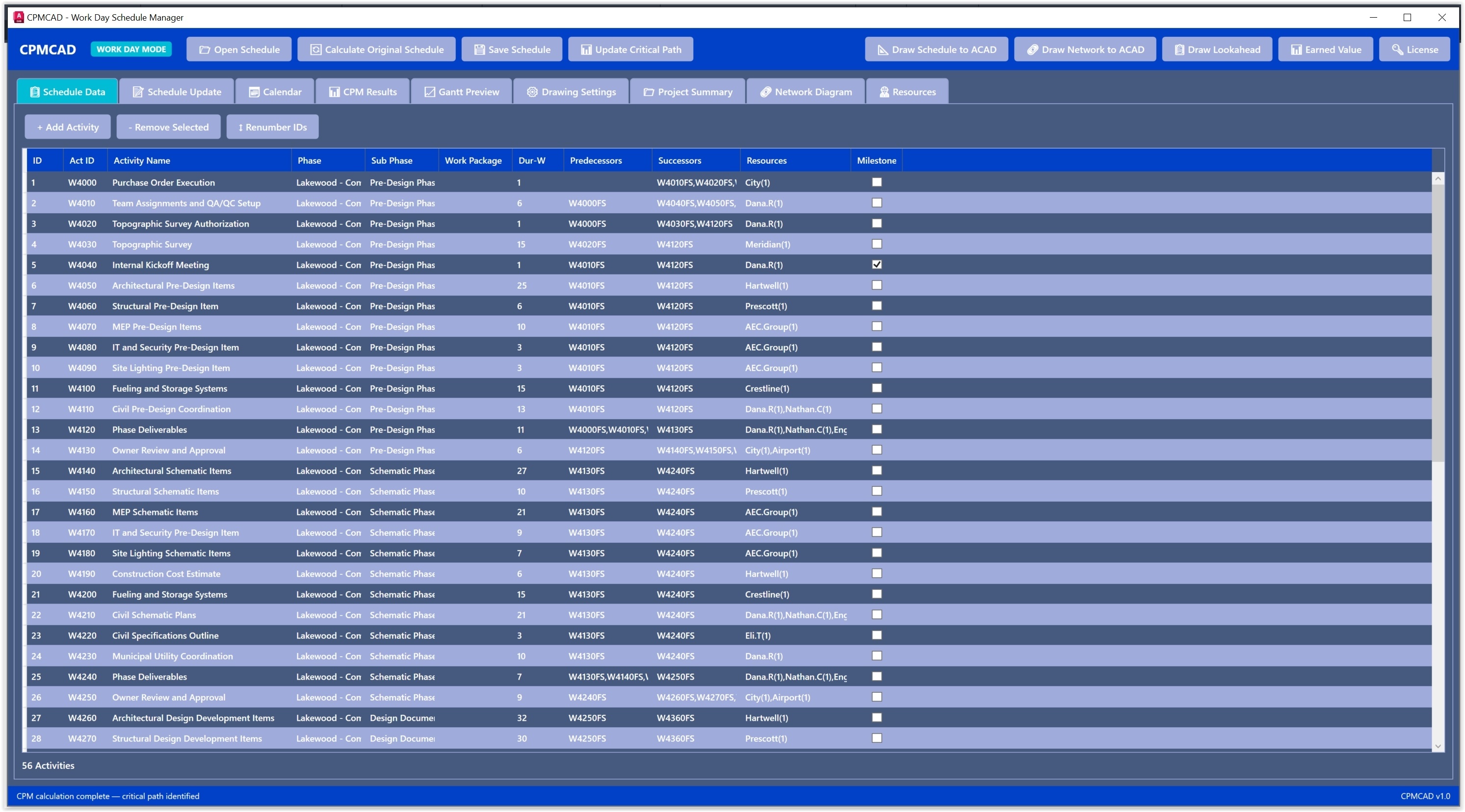
- Launch CPMCAD from the AutoCAD command line. Type CPMCAD and the scheduling interface opens inside your AutoCAD session. There is no separate license and no new platform to learn.
- Load the workbook and run the CPM engine. CPMCAD reads the Resources and Initial Schedule sheets, then runs the forward pass and backward pass to calculate Early Start, Early Finish, Late Start, Late Finish, Total Float, and Free Float for every activity.
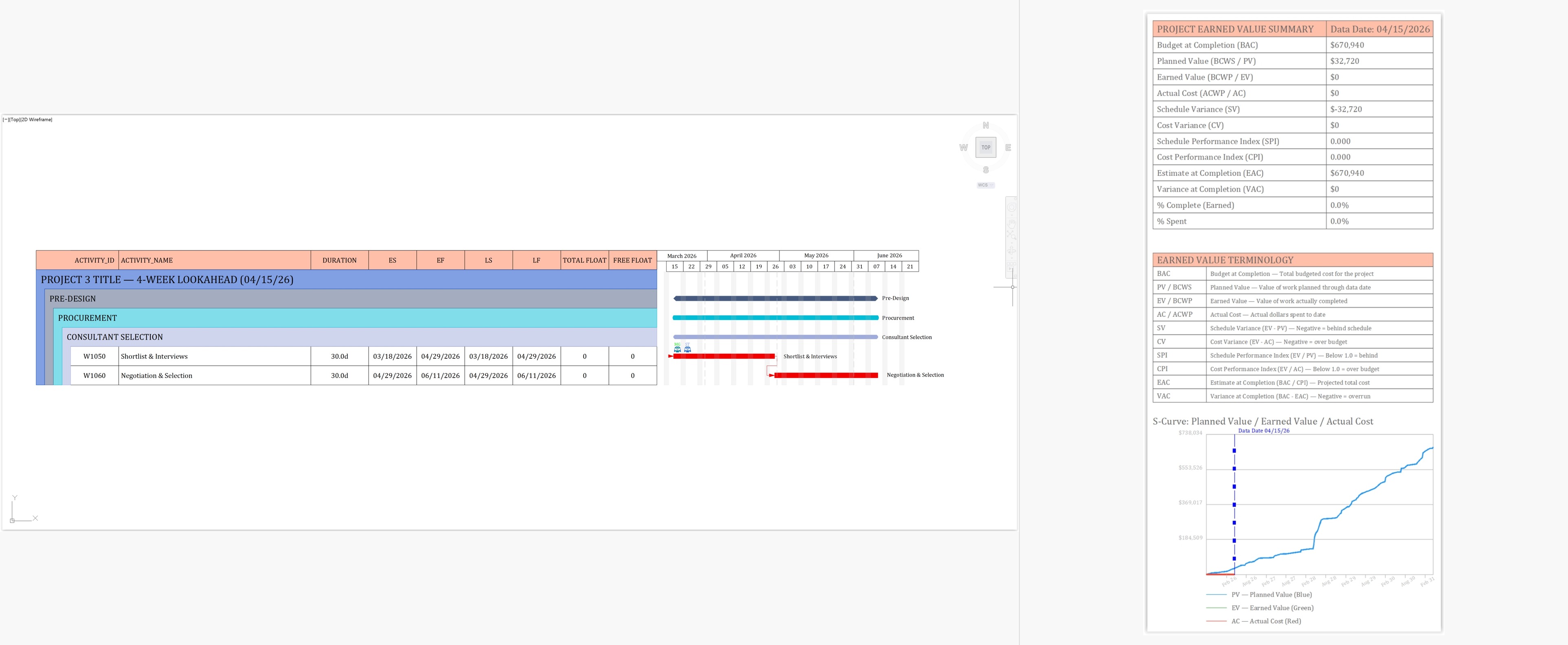
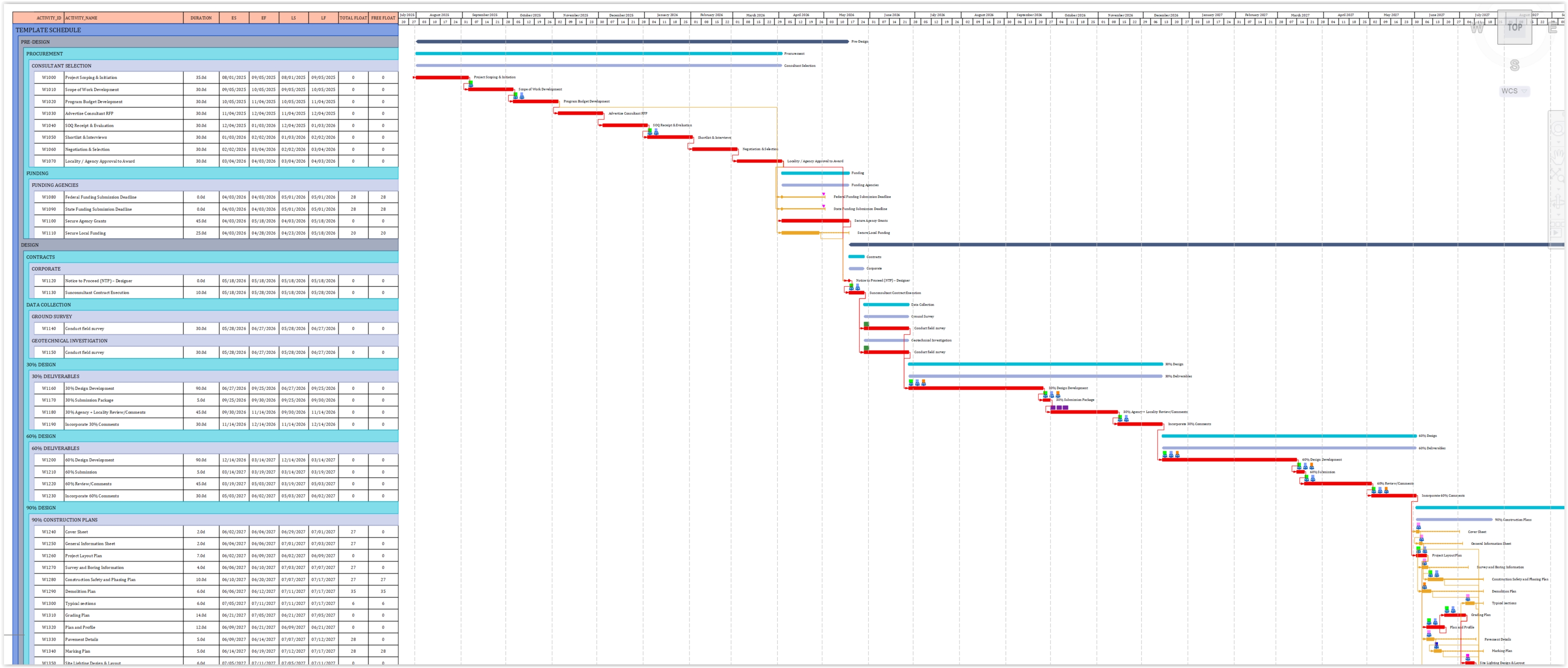
- Generate your schedule graphics. Choose a Gantt chart, phase bars, a project summary bar, or a working day calendar. Everything draws as native AutoCAD entities that you can zoom, pan, and plot.
- Update and regenerate as the schedule changes. Edit the Excel file, reload it in CPMCAD, and regenerate. You can also export the calculated dates and float values back to Excel, so the spreadsheet becomes your schedule record.
What you will see in the video
Video overview (from the production script)
If you have ever managed a project schedule, you know the drill. You build your CPM network in one application, your drawings live in another, and your data sits in a spreadsheet somewhere in between. CPMCAD changes that by bringing Critical Path Method scheduling directly into AutoCAD.
CPMCAD operates across three integrated environments. First, Excel, where your schedule data lives in a structured workbook: activities, durations, predecessor relationships, resources, and constraints. Second, the CPMCAD interface, which reads your Excel data, runs the CPM calculations, and gives you the controls to generate your schedule graphics. Third, AutoCAD itself, where CPMCAD generates Gantt charts, phase bars, project bars, and calendars as native entities that you can zoom, pan, plot, and include in your project documents.
CPMCAD supports all four relationship types, Finish to Start, Start to Start, Finish to Finish, and Start to Finish, with lag values where you need them, along with six schedule constraint types. Once your data is set, you switch to AutoCAD, load the workbook, and generate whatever your project documentation requires.
CPMCAD is built for project managers, engineers, planners, and schedulers who already work in AutoCAD and want their critical path analysis and schedule graphics in the same file as their drawings, using Excel as the data backbone. A free 30-day trial includes every feature, enough to test the full workflow before committing to a full project.
Note: this summary is adapted from the production script for this video. Wording in the final upload may differ slightly.
Try it on your own schedule
CPMCAD offers a full-featured 30-day free trial, or $250/year for unlimited use and clean, watermark-free output.